


The Apple thread

Re: The Apple thread
Shit, my macbook just chipped. I don't know what it is about me and tech, but no matter how nicely I treat my tech, it always manages to break on me. A tiny bit of the edge of the hand rest just came off as I slid my hands off the keyboard.
I bought my macbook in Apr '08, so I'm still covered under AppleCare. Any clue if they cover stuff like this?
Cheers,
Mo
I bought my macbook in Apr '08, so I'm still covered under AppleCare. Any clue if they cover stuff like this?
Cheers,
Mo


Re: The Apple thread
My Macbook Pro I bought yesterday came with iLife 08, you have to pay a small administrative charge for the upgrade to 09 (about 7UKP). I think this offer is open till the end of March.Deckard wrote:New iLife ships with all new Macs on day of iLife release I believe so yeah your new Mini will have iLife 09.


Re: The Apple thread
Unlucky.SiN wrote:Shit, my macbook just chipped. I don't know what it is about me and tech, but no matter how nicely I treat my tech, it always manages to break on me. A tiny bit of the edge of the hand rest just came off as I slid my hands off the keyboard.
I bought my macbook in Apr '08, so I'm still covered under AppleCare. Any clue if they cover stuff like this?
I treated my Powerbook really well, but scratches used to just appear on it out of nowhere.
As far as I know, unfortunately AppleCare doesn't cover cosmetic issues unfortunately.
Re: The Apple thread
Yeah, that's what I was afraid of. Is it cosmetic though? It's not a scratch, a chunk of plastic came off my MacBook!Cloudane wrote:As far as I know, unfortunately AppleCare doesn't cover cosmetic issues unfortunately.
Mo
Re: The Apple thread
I think the genius guys are given a fair bit of discretion, so it's always worth asking (ask in the Apple shop, NOT the Indian call centre you get if you call Applecare, who definitely will tell you that it doesn't cover cosmetic stuff as that's what they're scripted to say)


Re: The Apple thread
Couple of nice apps to share:
Code Collector Pro - all of my reusable webdev code is spread across Stickies and text docs, I'm guessing yours is too - here's how to get get organised. Nice and familiar iTunes style gui:
http://www.mcubedsw.com/software/codecollectorpro

FontCase - stylish and very visual way of managing and previewing fonts. Since using this app I've got a lot more adventurous with typeface selection and stopped relying on the old classics, the preview and compare views are just gorgeous:
http://www.bohemiancoding.com/?Fontcase

Anxiety
Stylish, un-intrusive to-do lists. Again, I used to rely on Stickies for this, much cleaner and more efficient to use a dedicated app.

http://anxietyapp.com/
Cuppa
Blatantly the most important app in this mini-roundup. Let your Mac take care of timing the perfect cuppa. And who doesn't want a cup of tea Dock icon?
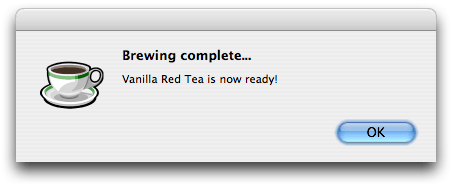

http://www.nathanatos.com/software/
Code Collector Pro - all of my reusable webdev code is spread across Stickies and text docs, I'm guessing yours is too - here's how to get get organised. Nice and familiar iTunes style gui:
http://www.mcubedsw.com/software/codecollectorpro
FontCase - stylish and very visual way of managing and previewing fonts. Since using this app I've got a lot more adventurous with typeface selection and stopped relying on the old classics, the preview and compare views are just gorgeous:
http://www.bohemiancoding.com/?Fontcase
Anxiety
Stylish, un-intrusive to-do lists. Again, I used to rely on Stickies for this, much cleaner and more efficient to use a dedicated app.
http://anxietyapp.com/
Cuppa
Blatantly the most important app in this mini-roundup. Let your Mac take care of timing the perfect cuppa. And who doesn't want a cup of tea Dock icon?
http://www.nathanatos.com/software/
Re: The Apple thread
Oh yeah, new favourite browser - Flock:
http://flock.com/
It's FireFox 3, but with really slick integration of all your favourite buzzwordy social Web 2.0 features. If you use anything like Flickr, Delicious, Yahoo, Myspace, you name it, this app handles it with a lot more flair than whatever browser you're currently using. RSS support is in a different league to Safari and any of the Firefox RSS addons, Delicious integration is bookmarking done right, and the dynamically generated homepage with frequently visited favourites and RSS updates is something you'll actually use and come to depend on. You can blog directly from the app, upload to Flickr, browse Youtube and other media sites in a sexy little "media bar", it's just ace. Makes other browsers feel really dated.
Totally recommend giving it a go. All your FF addons will work, and the functionality you gain will change the way you use the web. Awesome browser.


Re: The Apple thread
Some excellent choices there Rod, I've downloaded Anxiety and Flock and have had a bit of a play. Flock manages to make me feel simultaneously old and unpopular. And yet despite the busy interface it really does cram some decent functionality in there. I really like the RSS Feed bar down the left, very handy, and the Media Bar is all sorts of useful, it's just I don't know where the fuck to start. I'm going to go through some of the "How To Flock" tutorials and see if they help.
Pretty snappy at rendering too, I'm gonna set this as my default and see how we go. Thanks for the heads-up.
Edit: The built-in YouTube and photo service (Flickr etc.) search is very cool.
Pretty snappy at rendering too, I'm gonna set this as my default and see how we go. Thanks for the heads-up.
Edit: The built-in YouTube and photo service (Flickr etc.) search is very cool.
"Chrome plated stars on a black leather sky"

Re: The Apple thread
Woz takes to the dancefloor

Simon
You might not imagine that Apple co-founder Steve Wozniak has a lot in common with singer Belinda Carlisle or the actor Denise Richards. But soon they'll be starring alongside each other in one of TV's biggest shows; Dancing with the Stars.
Simon
"Who put the 'ram' in the 'ram-a-lam-a-ding-dong'?"

Re: The Apple thread
Hello Apple chums,
I just upgraded my 17" intel iMac with a 1TB Western Digital hard drive, and a fresh install of Leopard.
It's running very nicely and seems a bit quicker and less prone to getting bogged down when loads of stuff is open than previously, but I'd also like to stick some more memory in it.
It had 512MB originally and I added another 512MB, so both slots are full. What's the most I can put in there - 2 gigs or 4?
(just show, no stabby stabby)

Re: The Apple thread
Be strong, and Shout at the Devil...


Re: The Apple thread
Anxiety is just what I've been after. (Although I'm surprised that they didn't run with a more optimistic sounding name). Cheers, Rod.
I had got into the habit of using the task list on gmail but its reliance on having a browser window open was beginning to annoy me.
I had got into the habit of using the task list on gmail but its reliance on having a browser window open was beginning to annoy me.
Re: The Apple thread
iLife '09 does come with new macs. I bought a mini earlier, and after getting over being a  , i found a brand spanking new copy of iLife. Yay!
-
VNVObit

- Baaaaaa!

- Posts: 4072
- Joined: Sun Jan 01, 2006 10:03 pm 0
- XBL Gamertag: vnvobit
- PSN: VNV_Obit
- Location: London
Re: The Apple thread
Tried Flock a while ago and didn't really take to it but that was a much earlier version - will take another look at it
Anxiety looks nice but have already invested in Omnifocus (at least for the iPhone, although bit pissed you can't do recurring items without the Mac version).
Personally picked up Rivet http://cynicalpeak.com/rivet/ for streaming to either the PS3 or Xbox 360.
Found it a lot easier than trying to compile mediatomb (freeware)
After messing about with wiki's for a while settled on Knowledgeroot basically to carry out a similar activity to Code Collector Pro but is platform independent (albeit have it running on a MacBook - a secondhand one I picked up).
Finally managed to read up on and complete setting up SQL and PHP (required for Knowledgeroot) on the Mac so am pleased about that. have set up a number of Knowledgeroot instances covering general stuff about work, my VBA code and a model respository (my day job is a combination of excel automation and construction of financial models) as well as stuff for personal projects.
To stop mixing stuff up I used Fluid to create site specific browsers and set them up (also modified the colour schemes so they look different - can't be too careful)
Now just got to get Microsoft to re activate my Office 2007 and I can be all day long (with bouts of windows under VMWare) 
Edit: Just tried Flock but as the only social networking site I use is Linkedin and it isn't covered by flock integration yet. Will relook when they have sorted that out
Anxiety looks nice but have already invested in Omnifocus (at least for the iPhone, although bit pissed you can't do recurring items without the Mac version).
Personally picked up Rivet http://cynicalpeak.com/rivet/ for streaming to either the PS3 or Xbox 360.
Found it a lot easier than trying to compile mediatomb (freeware)
After messing about with wiki's for a while settled on Knowledgeroot basically to carry out a similar activity to Code Collector Pro but is platform independent (albeit have it running on a MacBook - a secondhand one I picked up).
Finally managed to read up on and complete setting up SQL and PHP (required for Knowledgeroot) on the Mac so am pleased about that. have set up a number of Knowledgeroot instances covering general stuff about work, my VBA code and a model respository (my day job is a combination of excel automation and construction of financial models) as well as stuff for personal projects.
To stop mixing stuff up I used Fluid to create site specific browsers and set them up (also modified the colour schemes so they look different - can't be too careful)
Now just got to get Microsoft to re activate my Office 2007 and I can be
all day long (with bouts of windows under VMWare) Edit: Just tried Flock but as the only social networking site I use is Linkedin and it isn't covered by flock integration yet. Will relook when they have sorted that out
Last edited by VNVObit on Tue Feb 10, 2009 12:10 am 0, edited 2 times in total.
"England is funny, but sometimes she scares me"
Tony Wakeford
My avatar is the cover of Tower of Babel's first single
"Sky is not roof, Earth is not bottom, the world is not yours, you are the world's" from Brown by Grotus
Tony Wakeford
My avatar is the cover of Tower of Babel's first single
"Sky is not roof, Earth is not bottom, the world is not yours, you are the world's" from Brown by Grotus