Asteroids on Oscilloscope


Re: Asteroids on Oscilloscope
Except the ocelot screen is so tiny you can't really see the occlusion. Oh well! Time for a cup of tea.
 ] - [
Re: Asteroids on Oscilloscope
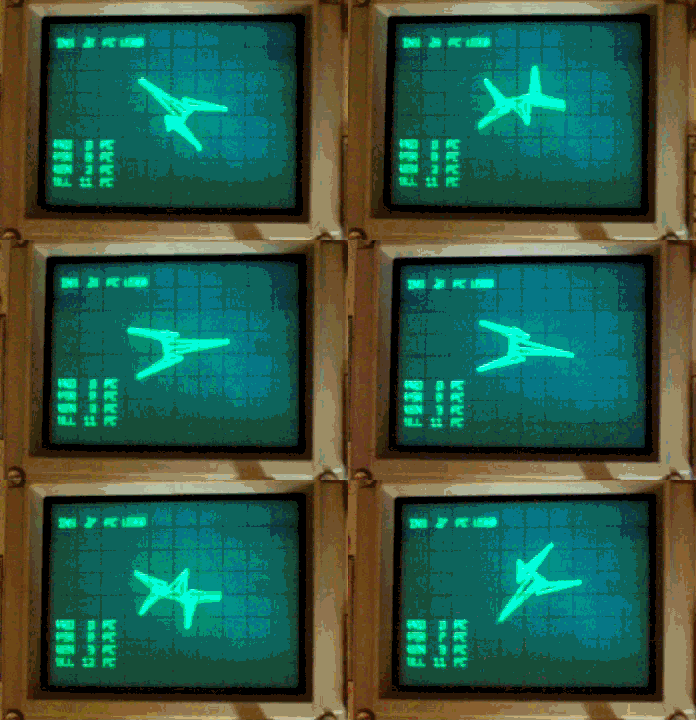
With occlusion on, the PSR (psuedorendering: calculating the potential line placements of occludable objects) goes up from 7% of available time to 37% for just this one object occluding against itself...


Re: Asteroids on Oscilloscope
The art-style of that GIF is going to be the Next Big Thing for indie games on Steam. Mark my words.

Re: Asteroids on Oscilloscope
It has everything except pixels!
How much GPU power does it take to emulate an analogue scope, though? Once mastered, can you emulate it in full stereo 3D VR?
How much GPU power does it take to emulate an analogue scope, though? Once mastered, can you emulate it in full stereo 3D VR?
Re: Asteroids on Oscilloscope
Are you doing the occlusion by rendering back-to-front and calculating the intersection of each new triangle with all of the previous whole ones and splitting/clipping as required? Worst case is tripling the number of triangles?
Re: Asteroids on Oscilloscope
Basically yeah, but not on a per-triangle basis.
I was calculating the 2D convex silhouette of each 3D convex body as I rendered it and using that to slice up existing lines before putting new ones on top.
I was calculating the 2D convex silhouette of each 3D convex body as I rendered it and using that to slice up existing lines before putting new ones on top.

Re: Asteroids on Oscilloscope
What's the chances of making a portable Vectrex clone by using a Sinclair pocket TV and something to drive the CRT?
(the chances of ME making it are non-existent, but someone smart might be able to do it. )
(the chances of ME making it are non-existent, but someone smart might be able to do it.
)I know nothing about Konix.
Re: Asteroids on Oscilloscope
Short version: Click here to see something cool! (now lightened a little bit!)
----
If I'm going to write an Ocelot game, I need something flashy. Graphics and characters is what it's all about. None of this 'programming' business. Which means I'm going to need to learn to draw and animate something or someone to be the hero.
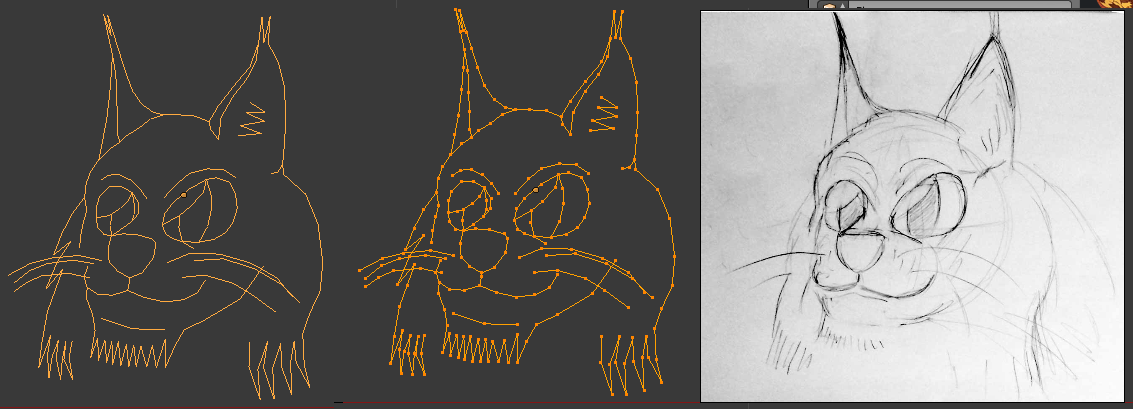
LYNXFACE.
I've devised a simple method to model characters and import them into a format that I can easily render within the Ocelot runtime. This guy was designed on paper, scanned (well photoed) and modelled as a series of points and lines within Blender. I've written a system to store wireframe animations as series of keyframes. These keyframes can be linked together and interpolated ('tweened') to produce complex looping animations. Blender lets you have a single object with multiple Shape Keys so I can visualise how a linear tween between two states of the same object would look. A Shape Key is a repositioning of the points within a mesh without altering their face/edge associations (I think!), so I can shift his dots around to create new facial expressions.
They can then be exported as OBJ (one per frame) and a Python script I've written converts them into a block of bytes: a list of edge associations, followed by a list of point positions in a 0-255 2D space for each frame, so it's really small. When an animation is requested for display, you can display any keyframe, or any interpolation of any pair of keyframes, transformed and enlarged to display at any rectangle in Ocelot screen space.
Here's my Lynxface cycling through all the keyframes I've given him so far.
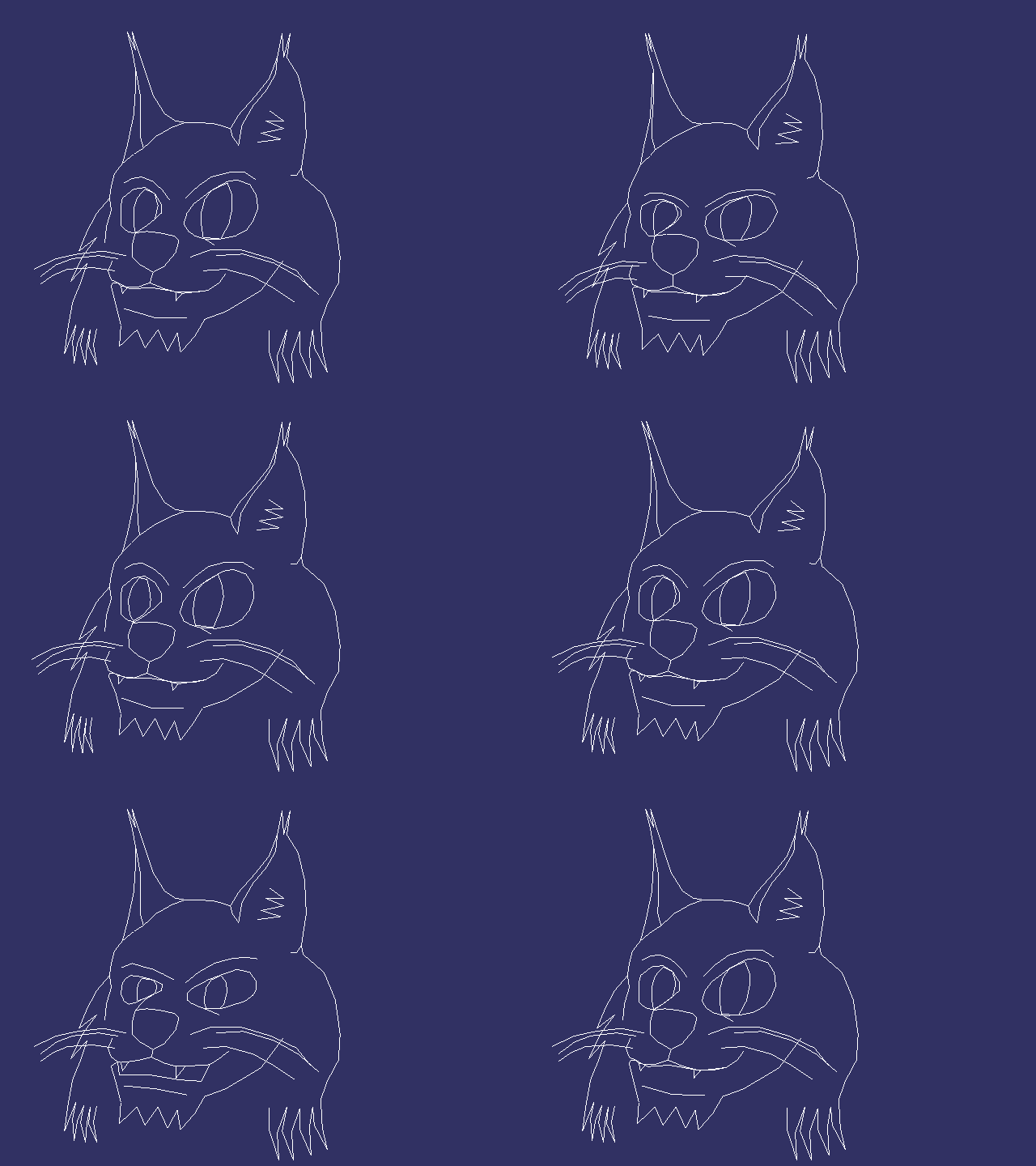
That's really robotic though. To make a properly emoting character, you need to choose a sequence of frames and curve between them nicely.
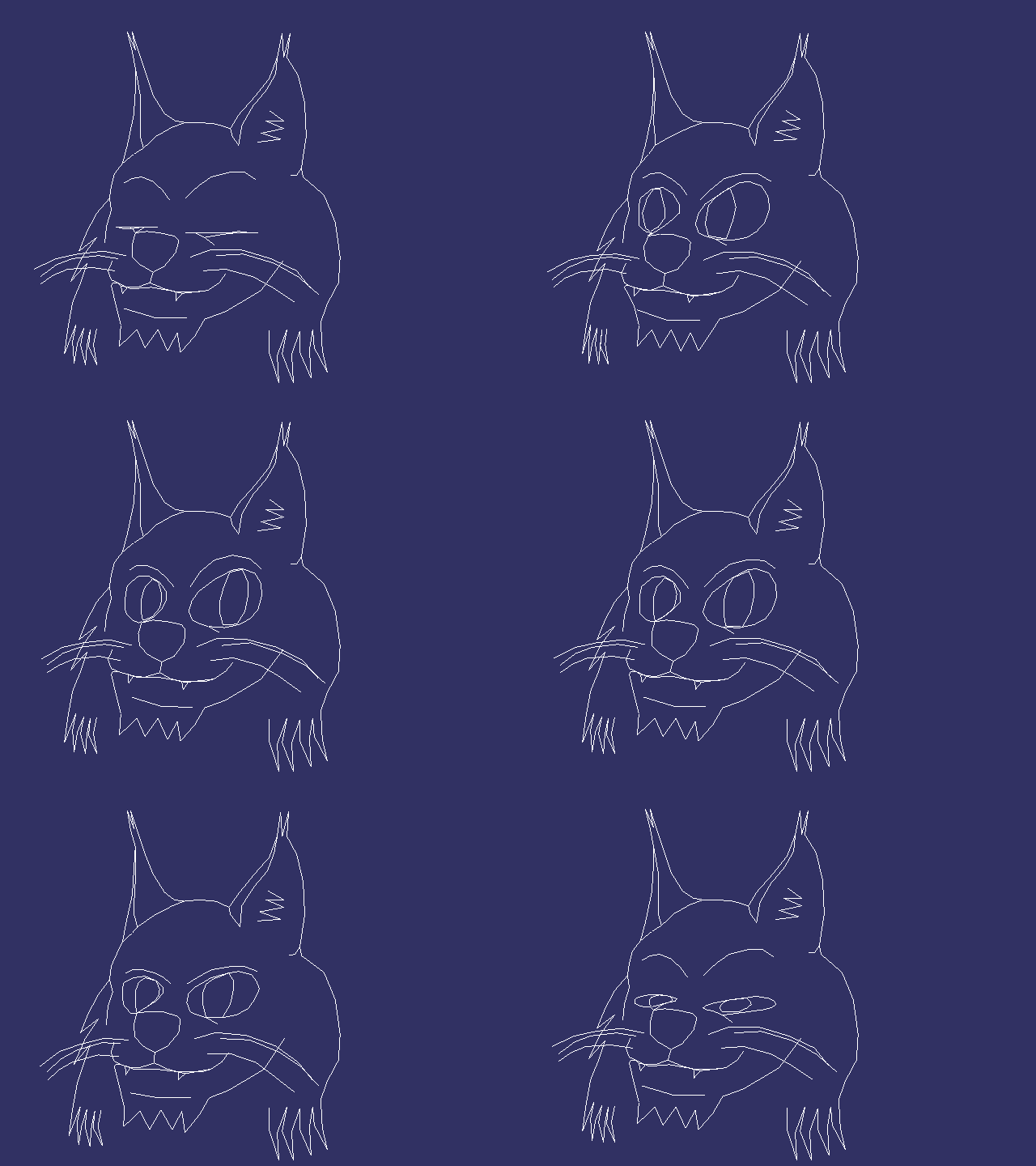
There we go! Lynxface is looking happy and shifty. (He's 'starcrafting'.)
Bob the image up and down a bit, and use the blink frame and you've got him sleeping!
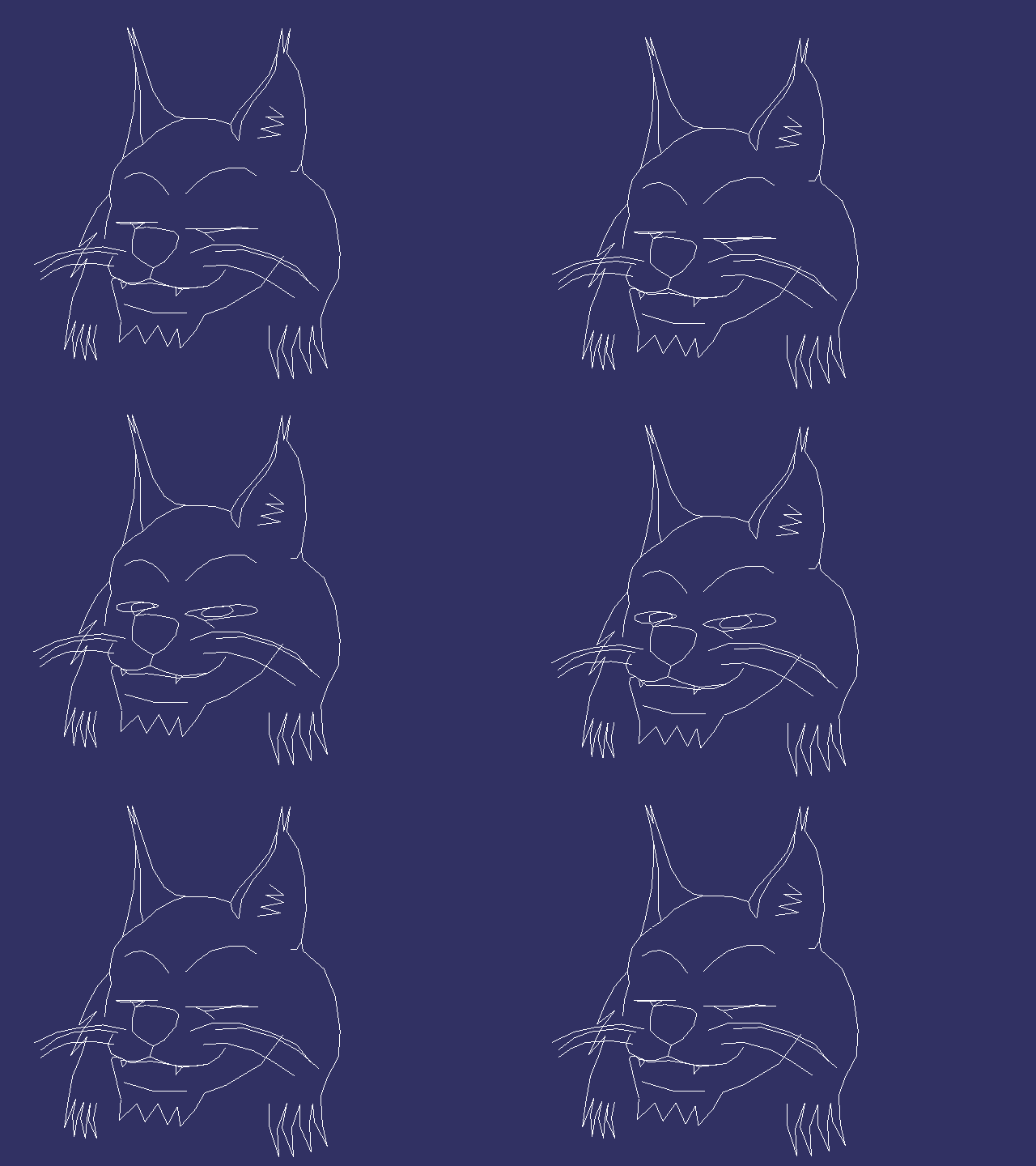
The way this works is that I have a Python file containing all the series of keyframes to trigger and when, together with GOTOs so I can have looping animations.
The high-level version of this is written as a list of dicts so I can see what the heck is going on.
I transpile it to a dense C bytecode script which I interpret in the Ocelot runtime. This way, I can have fire off an animation by name and leave it running and looping until I need it to do something else.
Alright. I've got one face, but I need text too. Hell, I need an entire cutscene system. I was aiming for a certain popular animals in spaceships shooting stuff game, so lets add a sophisticated cutscene system that would be the pride of any visual novel.
This'll allow the game author to create a script that places these animations on the stage, together with text, linking them together in a sequence to provide cutscenes for Ocelot games!
A cutscene consists of animation commands (display something within this region please, change the currently displaying animation script, move the region across the screen), text scheduling commands, wait for button, and done.
Time for a second helping of Python and transpilation!
This script contains a list of cutscenes for the game, and each cutscene is a list of directives that move objects around, place animations within them and schedule text.
Write yourself an interpreter for this bytecode which can trigger the first bytecode which can render interpolated frames selected from the converted keyframes containing the point positions and what do you get?
Bingo!
Now I've got enough to do some simple scenes. I can display 'animation objects' owned by the cutscene at any rectangle on the screen. If I swap the X coordinates around, we reveal Lynxface's evil doppelganger.
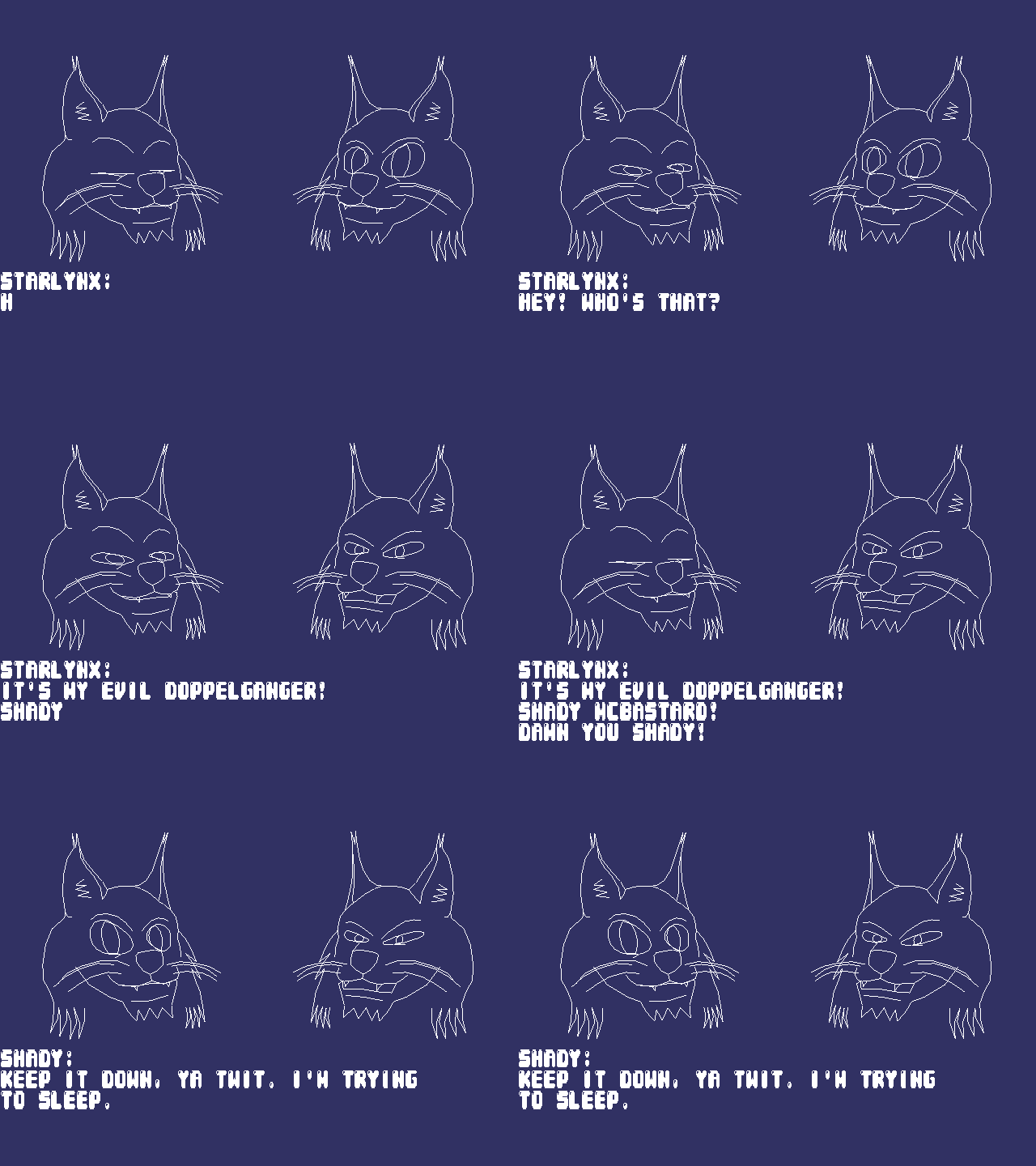
But a real space hero needs somebody to order them around into danger. Starlynx never refuses a challenge, so enter his no-nonsense superior, The Commander.
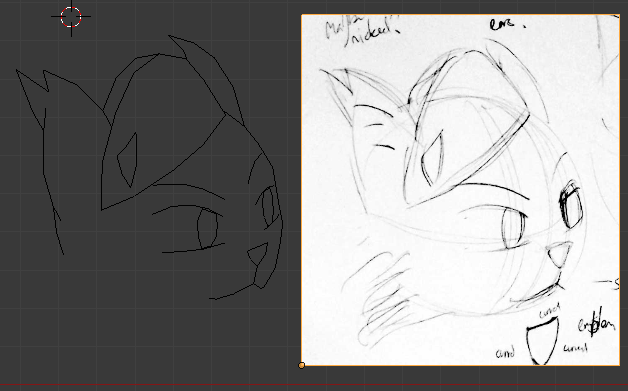
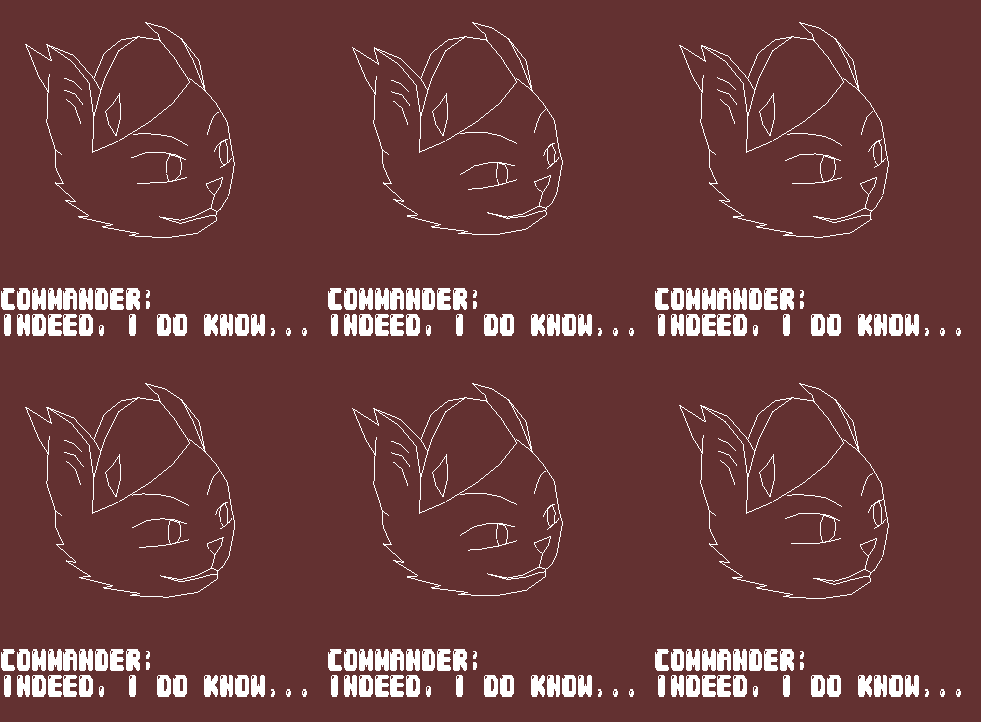
In this cutscene, you can see the first two characters I've devised for something tentatively titled 'Starlynx'.
In this video, Starlynx, our hero, has just been rudely awoken by an emergency message from The Commander, a no-nonsense cat lady who requires his urgent assistance on a secret mission.
https://youtu.be/sL_SP6msKTM
https://www.youtube.com/watch?v=qjmjrQ_vg7E (not artificially lightened version, easier to see the details on Starlynx's face)
It's a little dark, unfortunately. Nothing I can really do about that. Turn your monitor brightness up.
Here's how it looks on the Windows high-level-ish Ocelot runtime implementation:
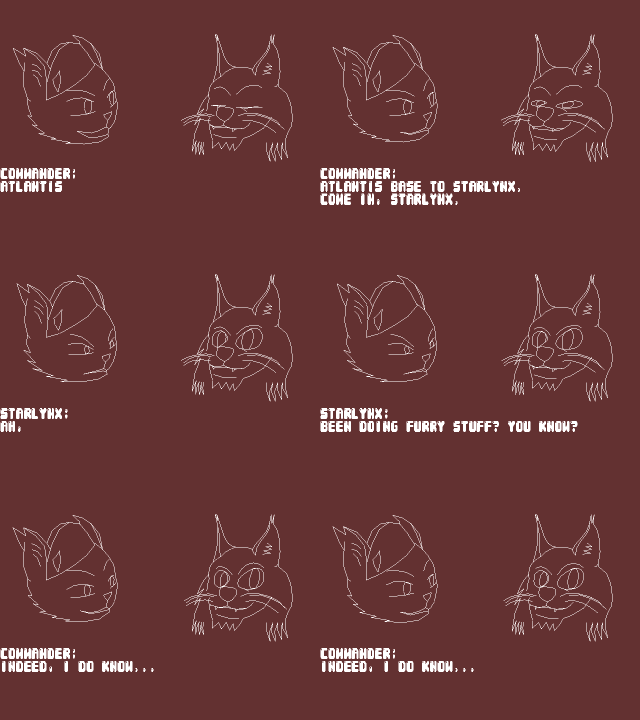
I think it's going damn well considering I've used Blender three times ever, max. And I can't draw. And definitely can't animate!
Bear in mind that the dsPIC33FJ128GP802 has 128kB ROM and 16kB RAM, 12kBytes of which I'm using to store a double-buffered list of (yet another) bytecode instruction for the cursor to snap to positions and leap small increments about the screen to do the graphics. The bytecode instructions necessary to draw these two faces and three lines of text pushes what RAM I have to its limit. Lynxface is 250 edges, 250 points, which is the effective max of the tiny format I'm cramming his frames into. He's really more detailed than he ought to be, but I didn't know better. Plus I like that he has l'il fangs. Commander is something along the lines of 130/130, which is much better.
I can use the 'animation' system to store any vector stuff I want: logos, etc. It's basically the same as 3d models, but 2d. I'm reinventing the wheel, sure. But my wheel is awesome.
The alternative to having big buffers of instructions is to make a double buffered scene graph, and when the DMA interrupt comes a-knockin', instead of doing teeny tiny code that reads bytecodes and shoves the cursor about a little bit, it instead renders the great big honking objects on demand and shoves the results of that into the DMA.
A coroutine that renders the scene on demand into instructions when the cursor wants something to draw. It would save loads of RAM (as long as the high-level description of the objects is smaller than rendered) but it does mean I'm psuedo-rastering every single thing every single time the beam wants to show it. Probably a pants idea, but I'm writing it down here so I don't forget.
----
If I'm going to write an Ocelot game, I need something flashy. Graphics and characters is what it's all about. None of this 'programming' business. Which means I'm going to need to learn to draw and animate something or someone to be the hero.
LYNXFACE.
I've devised a simple method to model characters and import them into a format that I can easily render within the Ocelot runtime. This guy was designed on paper, scanned (well photoed) and modelled as a series of points and lines within Blender. I've written a system to store wireframe animations as series of keyframes. These keyframes can be linked together and interpolated ('tweened') to produce complex looping animations. Blender lets you have a single object with multiple Shape Keys so I can visualise how a linear tween between two states of the same object would look. A Shape Key is a repositioning of the points within a mesh without altering their face/edge associations (I think!), so I can shift his dots around to create new facial expressions.
They can then be exported as OBJ (one per frame) and a Python script I've written converts them into a block of bytes: a list of edge associations, followed by a list of point positions in a 0-255 2D space for each frame, so it's really small. When an animation is requested for display, you can display any keyframe, or any interpolation of any pair of keyframes, transformed and enlarged to display at any rectangle in Ocelot screen space.
Here's my Lynxface cycling through all the keyframes I've given him so far.
That's really robotic though. To make a properly emoting character, you need to choose a sequence of frames and curve between them nicely.
There we go! Lynxface is looking happy and shifty. (He's 'starcrafting'.)
Bob the image up and down a bit, and use the blink frame and you've got him sleeping!
The way this works is that I have a Python file containing all the series of keyframes to trigger and when, together with GOTOs so I can have looping animations.
The high-level version of this is written as a list of dicts so I can see what the heck is going on.
Code: Select all
# This file contains the input data that encodes the animation scripts for lynxface.

class LYNXFACE_FRAME(AutoNumberEnum):
   NEUTRAL         = ()
   OPEN            = ()
   DOWN            = ()
   LEFT            = ()
   RIGHT           = ()
   HAPPY           = ()
   ANGRY           = ()
   FURIOUS         = ()
   BLINK           = ()

animation_keyframes = [
   # Every keyframe contains a label so we can link them together.
   { "label": "idle",                 "data": { "command": COMMAND.TWEEN_TO, "frame": LYNXFACE_FRAME.NEUTRAL,     "destination": 255.00, "curve": CURVE.LINEAR, "speed": 91.00 }, },
   { "label": "idle_loop",            "data": { "command": COMMAND.TWEEN_TO, "frame": LYNXFACE_FRAME.LEFT,        "destination": 255.00, "curve": CURVE.INOUT,  "speed":  5.00 }, },
   { "label": "",                     "data": { "command": COMMAND.TWEEN_TO, "frame": LYNXFACE_FRAME.NEUTRAL,     "destination": 255.00, "curve": CURVE.IN,     "speed":  5.00 }, },
   { "label": "",                     "data": { "command": COMMAND.TWEEN_TO, "frame": LYNXFACE_FRAME.RIGHT,       "destination": 255.00, "curve": CURVE.OUT,    "speed":  5.00 }, },
   { "label": "",                     "data": { "command": COMMAND.TWEEN_TO, "frame": LYNXFACE_FRAME.NEUTRAL,     "destination": 255.00, "curve": CURVE.INOUT,  "speed":  5.00 }, },
   { "label": "",                     "data": { "command": COMMAND.TWEEN_TO, "frame": LYNXFACE_FRAME.DOWN,        "destination": 255.00, "curve": CURVE.INOUT,  "speed":  5.00 }, },
   { "label": "",                     "data": { "command": COMMAND.TWEEN_TO, "frame": LYNXFACE_FRAME.NEUTRAL,     "destination": 255.00, "curve": CURVE.INOUT,  "speed":  5.00 }, },
   { "label": "",                     "data": { "command": COMMAND.TWEEN_TO, "frame": LYNXFACE_FRAME.BLINK,       "destination": 255.00, "curve": CURVE.INOUT,  "speed": 39.00 }, },
   { "label": "",                     "data": { "command": COMMAND.TWEEN_TO, "frame": LYNXFACE_FRAME.NEUTRAL,     "destination": 255.00, "curve": CURVE.OUT,    "speed": 10.00 }, },
   { "label": "",                     "data": { "command": COMMAND.PAUSE,    "no_frames": 20 } },
   { "label": "",                     "data": { "command": COMMAND.GOTO,     "destination_label": "idle_loop" } },
]Alright. I've got one face, but I need text too. Hell, I need an entire cutscene system. I was aiming for a certain popular animals in spaceships shooting stuff game, so lets add a sophisticated cutscene system that would be the pride of any visual novel.
This'll allow the game author to create a script that places these animations on the stage, together with text, linking them together in a sequence to provide cutscenes for Ocelot games!
A cutscene consists of animation commands (display something within this region please, change the currently displaying animation script, move the region across the screen), text scheduling commands, wait for button, and done.
Time for a second helping of Python and transpilation!
Code: Select all
cutscene_commands = [
   { "label": "briefing_start", "data": { "command": COMMAND.SET_TEXT_PROPERTIES,      "textsize": 7, "x": 5, "y": 18*3+7, "yheight": 18 } },
   { "label": "",               "data": { "command": COMMAND.CUTSCENE_OBJECT_POSITION, "cutscene_object": 0, "curve": CURVE.LINEAR, "speed": 255.0, "x": 115, "y":  55, "x2": 255, "y2": 195 } },
   { "label": "",               "data": { "command": COMMAND.CUTSCENE_OBJECT_COMMAND,  "cutscene_object": 0, "cutscene_object_command": CUTSCENE_OBJECT_COMMAND.SET_ANIMATION, "animation": ( "lynxface", "sleep" ) } },
   { "label": "",               "data": { "command": COMMAND.CUTSCENE_OBJECT_COMMAND,  "cutscene_object": 0, "cutscene_object_command": CUTSCENE_OBJECT_COMMAND.RESUME,        } },
   { "label": "",               "data": { "command": COMMAND.CUTSCENE_OBJECT_POSITION, "cutscene_object": 1, "curve": CURVE.LINEAR, "speed": 255.0, "x":   0, "y":  55, "x2": 140, "y2": 195 } },
   { "label": "",               "data": { "command": COMMAND.CUTSCENE_OBJECT_COMMAND,  "cutscene_object": 1, "cutscene_object_command": CUTSCENE_OBJECT_COMMAND.SET_ANIMATION, "animation": ( "commanderface", "talk" ) } },
   { "label": "",               "data": { "command": COMMAND.CUTSCENE_OBJECT_COMMAND,  "cutscene_object": 1, "cutscene_object_command": CUTSCENE_OBJECT_COMMAND.RESUME,        } },
   { "label": "",               "data": { "command": COMMAND.TEXT,                     "speed":  0, "soundeffect": -1, "text": "" } },
   { "label": "",               "data": { "command": COMMAND.TEXT,                     "speed":  0, "soundeffect": -1, "text": "Commander:\n" } },
   { "label": "",               "data": { "command": COMMAND.TEXT,                     "speed":  9, "soundeffect": -1, "text": "Atlantis base to Starlynx.\nCome in, Starlynx." } },
   { "label": "",               "data": { "command": COMMAND.CUTSCENE_OBJECT_COMMAND,  "cutscene_object": 1, "cutscene_object_command": CUTSCENE_OBJECT_COMMAND.SET_ANIMATION, "animation": ( "commanderface", "idle" ) } },
   { "label": "",               "data": { "command": COMMAND.WAIT_FOR_BUTTON } },
   { "label": "",               "data": { "command": COMMAND.CUTSCENE_OBJECT_COMMAND,  "cutscene_object": 1, "cutscene_object_command": CUTSCENE_OBJECT_COMMAND.SET_ANIMATION, "animation": ( "commanderface", "talk" ) } },
   { "label": "",               "data": { "command": COMMAND.TEXT,                     "speed":  0, "soundeffect": -1, "text": "" } },
   { "label": "",               "data": { "command": COMMAND.TEXT,                     "speed":  0, "soundeffect": -1, "text": "Commander:\n" } },
   { "label": "",               "data": { "command": COMMAND.TEXT,                     "speed":  9, "soundeffect": -1, "text": "Starlynx, are you there?" } },
   { "label": "",               "data": { "command": COMMAND.CUTSCENE_OBJECT_COMMAND,  "cutscene_object": 1, "cutscene_object_command": CUTSCENE_OBJECT_COMMAND.SET_ANIMATION, "animation": ( "commanderface", "idle" ) } },
   { "label": "",               "data": { "command": COMMAND.WAIT_FOR_BUTTON } },
]Write yourself an interpreter for this bytecode which can trigger the first bytecode which can render interpolated frames selected from the converted keyframes containing the point positions and what do you get?
Bingo!
Now I've got enough to do some simple scenes. I can display 'animation objects' owned by the cutscene at any rectangle on the screen. If I swap the X coordinates around, we reveal Lynxface's evil doppelganger.
But a real space hero needs somebody to order them around into danger. Starlynx never refuses a challenge, so enter his no-nonsense superior, The Commander.
In this cutscene, you can see the first two characters I've devised for something tentatively titled 'Starlynx'.
In this video, Starlynx, our hero, has just been rudely awoken by an emergency message from The Commander, a no-nonsense cat lady who requires his urgent assistance on a secret mission.
https://youtu.be/sL_SP6msKTM
https://www.youtube.com/watch?v=qjmjrQ_vg7E (not artificially lightened version, easier to see the details on Starlynx's face)
It's a little dark, unfortunately. Nothing I can really do about that. Turn your monitor brightness up.
Here's how it looks on the Windows high-level-ish Ocelot runtime implementation:
I think it's going damn well considering I've used Blender three times ever, max. And I can't draw. And definitely can't animate!
Bear in mind that the dsPIC33FJ128GP802 has 128kB ROM and 16kB RAM, 12kBytes of which I'm using to store a double-buffered list of (yet another) bytecode instruction for the cursor to snap to positions and leap small increments about the screen to do the graphics. The bytecode instructions necessary to draw these two faces and three lines of text pushes what RAM I have to its limit. Lynxface is 250 edges, 250 points, which is the effective max of the tiny format I'm cramming his frames into. He's really more detailed than he ought to be, but I didn't know better. Plus I like that he has l'il fangs. Commander is something along the lines of 130/130, which is much better.
I can use the 'animation' system to store any vector stuff I want: logos, etc. It's basically the same as 3d models, but 2d. I'm reinventing the wheel, sure. But my wheel is awesome.
The alternative to having big buffers of instructions is to make a double buffered scene graph, and when the DMA interrupt comes a-knockin', instead of doing teeny tiny code that reads bytecodes and shoves the cursor about a little bit, it instead renders the great big honking objects on demand and shoves the results of that into the DMA.
A coroutine that renders the scene on demand into instructions when the cursor wants something to draw. It would save loads of RAM (as long as the high-level description of the objects is smaller than rendered) but it does mean I'm psuedo-rastering every single thing every single time the beam wants to show it. Probably a pants idea, but I'm writing it down here so I don't forget.
-
super charlie

- Baaaaa!

- Posts: 1809
- Joined: Wed Mar 31, 2004 7:53 pm 0
- Location: Ipswich, suffolk
- Contact:
Re: Asteroids on Oscilloscope
Yeah, really cool.
Cheers
Charlie
Cheers
Charlie
Visit my website here to have a look at my game.
Re: Asteroids on Oscilloscope
I found a really obvious way to save a kilobyte or so from my display buffers, but it does mean modifying my entire vector character set code manually, all 4,082 lines of it, one at a time.

Re: Asteroids on Oscilloscope
2376 bytes of rom freed yay.


Re: Asteroids on Oscilloscope
Well, I can't say I agree with that. What you just did looks awesome!Kamineko wrote:And I can't draw. And definitely can't animate!


Re: Asteroids on Oscilloscope
That's some pretty fuckin' cool stuff, right there. The bytecode approach is very similar to atari's vector machine.
"massive retard™", "full of shit™", "tiny bitch™", "retarted™", "a bit of a one trick pony™", "petty™", "simple minded idealistic twat™", "miserable humourless fucker™"

Re: Asteroids on Oscilloscope
Amazing stuff as always, Kami! 
"I am a very considerate person. If I want to go out all night on my miniature golf course and shoot lizards, well, no reason to keep the neighbours awake..."