Parallels have got ARM based Windows 10 running on the M1 chip
And MS has released a new ARM Win10 developer version that includes its first pass of emulation of x86 apps. It's very early days and not a whole lot runs yet even on an ARM based PC.
But, here is an interesting video of how to install it on an M1 and how well it does when it runs something. Checkout it running Rocket League at around 7:30 mins and be impressed by the fact it's running the OS as a virtual machine on top of Big Sur, is only using 6GB of RAM and 4 CPUs for Win 10 and the fact the virtualised OS is running pre-beta emulation to run the 64bit app.
Looks promising! My 2016 MBP couldn't run any 3D game that well natively.
Misfit wrote:Parallels have got ARM based Windows 10 running on the M1 chip
And MS has released a new ARM Win10 developer version that includes its first pass of emulation of x86 apps. It's very early days and not a whole lot runs yet even on an ARM based PC.
But, here is an interesting video of how to install it on an M1 and how well it does when it runs something. Checkout it running Rocket League at around 7:30 mins and be impressed by the fact it's running the OS as a virtual machine on top of Big Sur, is only using 6GB of RAM and 4 CPUs for Win 10 and the fact the virtualised OS is running pre-beta emulation to run the 64bit app.
Looks promising! My 2016 MBP couldn't run any 3D game that well natively.
I of course meant x64 apps.
If you are installing the above (which I am in the process of) he mentions the C++ runtime.
OK, within half an hour (I have good download speed) I had downloaded and installed Windows, Steam and Skyrim (as my daughter plays this on the PC/Switch but moans she can't do it on her Air) - I set it to use 8GB of RAM rather than the 6 in the video.
Not only did Skyrim run, but it also seems to run really well! (It suggested ultra settings and a resolution of 1400*900, I started it with high settings).
Only had a quick wander as not interested in playing it, so no idea overall. But gobsmacked!
Wasn't perfect when I quit to the desktop as Windows got confused on screen size. But if this is how it is on preview versions of Parallels, Windows and x64 emulation it can only get better.
And this is on the first M1 with integrated graphics.
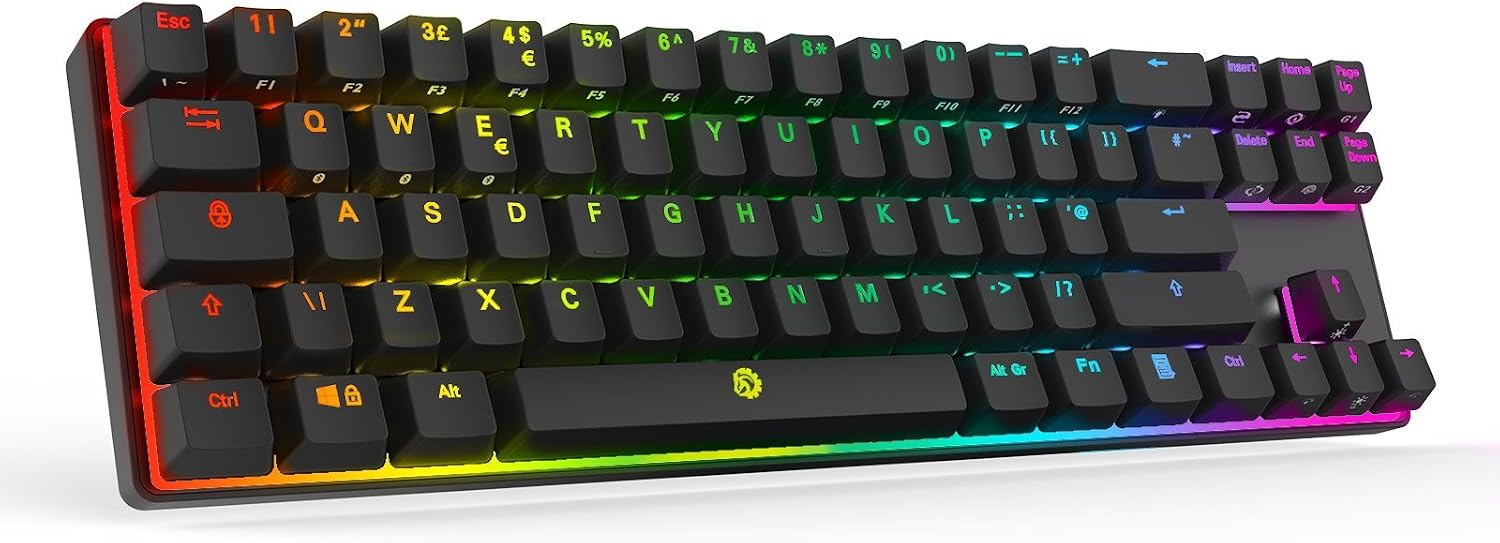
Just had one of those Jelly Comb keyboards delivered....all good apart from the slightly infuriating decision to put ` on <fn>-Z. As I do a lot of *nix command line work that's gonna take some getting used to
@Deckard - how are you finding the battery life on your Jelly Comb keyboard? Even with the lights off on mine I'm having to recharge it every couple of days, and the battery warning indicator on the keyboard itself is so dim I don't notice until it disconnects. It's a shame it doesn't report it's battery level to the OS.
I have mine on the lowest light setting on the green lighting on bluetooth 2 and finding it excellent - havent charged it once since I got it 30th December......even on lowest setting its bright enough for me and top level is far too bright for my room....
The battery charging is a bit shit and it needs a line of sight more or less - but I like it has a nice action and just the right heft, I get a solid few hours after a random duration charge and it runs off a USB cable too.
Well Samsung support is beyond rubbish for this top of the range soundbar - I suppose I am used to Apple and Amazon chat solving pretty much everything in real time - now zero support in 4 days for this terrible app and lack of wifi and now having to wait for a new chat for 15 minutes - really Samsung ? No email contact either and their webpage keeps crashing too -
494 ERROR
The request could not be satisfied.
Bag of sh*te all round and I wont be buying anything Samsung ever again which means I am selling this soundbar shortly and will absorb the loss and get the JBL.
Just clicked through to the MailTheCEO option on their page which presumably is the nuclear option which also failed....epic...




 charge and it runs off a USB cable too.

