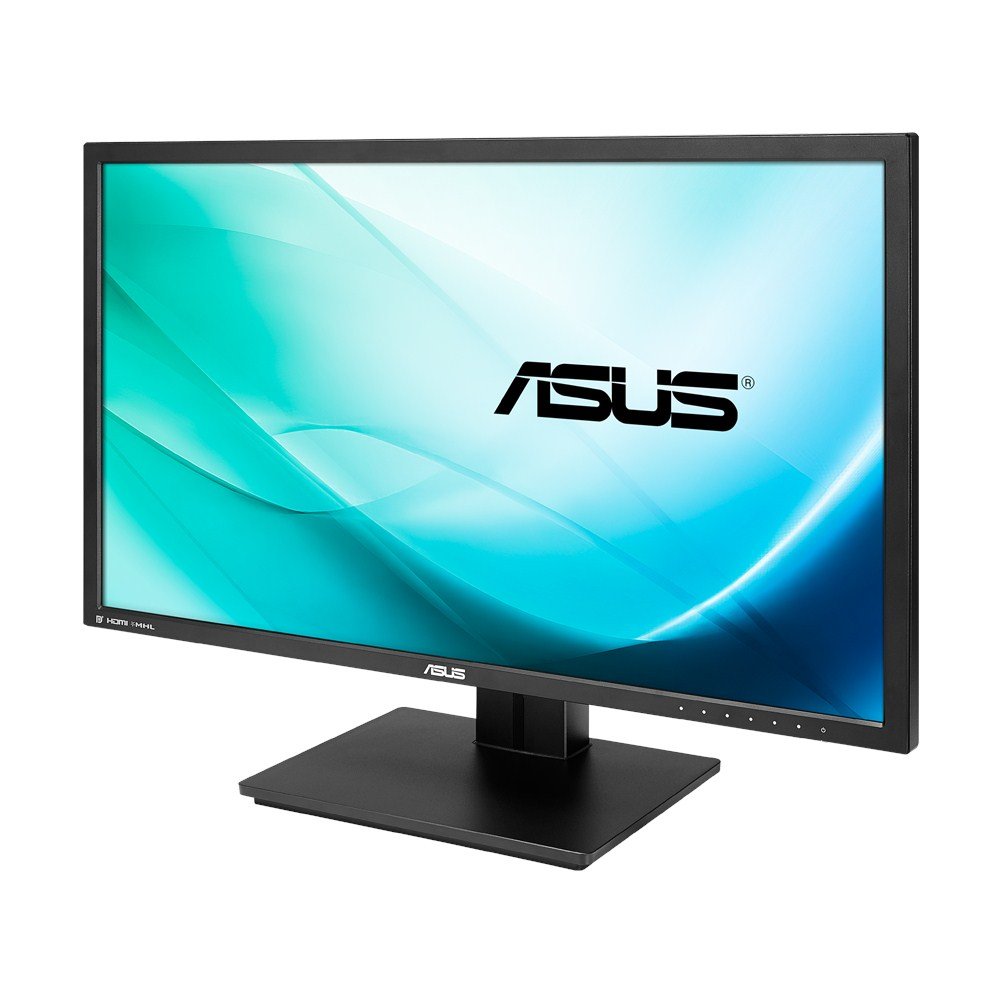
UHD monitor /computer display

The Joy of Tech - Anything and everything about all things shiny..
Post Reply
User avatar
zip accident
Sheepie Whore
Sheepie Whore
Posts: 13928
Joined: Sun Feb 20, 2005 1:58 pm 0
Location: Bristol, UK

UHD monitor /computer display

Post by zip accident »

This one:

Image

http://www.amazon.co.uk/Asus-PB287Q-Wid ... ZEJ7F9N90T

I tried out some resolutions to see what happened, with some interesting results. Most of the resolutions that windows says are possible that I tried worked, including 1920 x1200 which has black bars at either end, as expected given it's the wrong aspect ratio for this display. I was expecting to have to run games at 1920 x 1080, to get reasonable framerates, but that resolution is one of the ones that doesn't work (on the desktop it shows as the left half of the screen of random garbage, and half a screen of normal windows). Another one that doesn't work, in that the display goes black and nothing appears for a couple of minutes, which I assumed to be terminal, was 800 x 600, which would be the lowest resolution if you could actually see it. I think the other two I tried that did work were 1600 x 1200, and 21xx x 15xx (the ipad resolution) they had black bands at the ends.

Most of the available resolutions I haven't tried, 1920 x 1200 is well within the capabilites of my graphics card, it is the resolution of my previous monitor, and for my desktop and anything not motion critical 3480 x 2160 is about as good as it currently gets. The stand is good, not at all wobbly.

I did try Skyrim at 3480 x 2160 and I got a "Level Up" sign in the bottom right of my screen, which is not what I want when I'm not actually able to level up, and I think things were showing signs of slowness as well, though it wasn't unusable, so that's one game that will run at 1920 x1200.
"My way is the way of not fighting":- the book of Enter the Dragon.
User avatar
zip accident
Sheepie Whore
Sheepie Whore
Posts: 13928
Joined: Sun Feb 20, 2005 1:58 pm 0
Location: Bristol, UK

Re: UHD monitor /computer display

Post by zip accident »

Oops. :?

Just found out that I can get into the onscreen display and fiddle about (and it is a bit of a fiddle, since there's effectively no manual), and change the display port setting from 1.1 to 1.2, and then 1920 x 1080 works fine. Was saying 30 Hz, should now be 60 Hz too I think. Nope, going to have to keep fiddling to get that, but I expect that will also be easy once I find out how.
"My way is the way of not fighting":- the book of Enter the Dragon.
User avatar
zip accident
Sheepie Whore
Sheepie Whore
Posts: 13928
Joined: Sun Feb 20, 2005 1:58 pm 0
Location: Bristol, UK

Re: UHD monitor/computer display

Post by zip accident »

zip accident wrote:Oops. :?

Just found out that I can get into the onscreen display and fiddle about (and it is a bit of a fiddle, since there's effectively no manual), and change the display port setting from 1.1 to 1.2, and then 1920 x 1080 works fine. Was saying 30 Hz, should now be 60 Hz too I think. Nope, going to have to keep fiddling to get that, but I expect that will also be easy once I find out how.
Right, the blurb says up to 60Hz, what I seem to be finding is that that's 60Hz at 1920x1080, 30Hz at anything higher, which means I've been caught out by weasel words once again. It's okay at 30 Hz, no flicker on a static screen at all, but not so nice scrolling.

Or it could be Windows 7 or not fully up to date graphics drivers, Windows is happy that the drivers are current, but then I tried updating them a while back and AMD demanded referrers be enabled, and it was too much fuss to turn those on and off again.

Anyhow, at this point monitors like this are only for early adopters, but you knew that already.

I'm sort of surprised how webcomics show up at more or less the same size they did before, I was expecting some to be shrunk, but so far not one, and I've looked at dozens.
"My way is the way of not fighting":- the book of Enter the Dragon.
User avatar
venusian
Baaaaaaa!
Baaaaaaa!
Posts: 6655
Joined: Wed Nov 06, 2002 2:22 pm 0
Location: South Gloucestershire

Re: UHD monitor /computer display

Post by venusian »

The Internet says it will do 60Hz at 4K over display port 1.2 only. Is your GFX card really capable enough?
User avatar
zip accident
Sheepie Whore
Sheepie Whore
Posts: 13928
Joined: Sun Feb 20, 2005 1:58 pm 0
Location: Bristol, UK

Re: UHD monitor /computer display

Post by zip accident »

venusian wrote:The Internet says it will do 60Hz at 4K over display port 1.2 only. Is your GFX card really capable enough?
Yeah, I read that.

I know my card has two mini display ports and I'm pretty sure it was produced after 1.2 was published, since I'm pretty sure I read that that was in 2009. Finding the exact specs of the particular display ports fitted to the particular brand and model of card is another matter.

I might try swapping to the other port, but I can't think why they'd be different.
"My way is the way of not fighting":- the book of Enter the Dragon.
User avatar
zip accident
Sheepie Whore
Sheepie Whore
Posts: 13928
Joined: Sun Feb 20, 2005 1:58 pm 0
Location: Bristol, UK

Re: UHD monitor /computer display

Post by zip accident »

Hm, well how things are going so far. My GPU is a Radeon HD 6970 2GB.

Most games I've tried run, I've tried about half a dozen. The one that doesn't is Fallout New Vegas, and that sometimes didn't run before, it needed it's local cache clearing or something, why that's regular I can't guess, but it seems to be, and it seems to be exclusive to that game, maybe it'll run today or tomorrow.

IL*2 only runs in 1920 * 1200, you can change the settings in the setup file to 3480 * 2160 and it won't start, change it back to 1920 * 1200 and it runs okayish, with the field of view zoomed in it tears a lot when there are judders, but other than that it's fine, it may be that my old monitor was just too slow to show those judders properly. I have a new version of IL*2 which came today, it may allow 3480*2160.

Deus Ex Human Revolution runs at 3480 * 2160.

Half life 2 runs at 3480 * 2160.

Cliffs of Dover runs at 3480 * 2160 but is obviously not fully happy (trees and buildings flickering etc), it's a heavy duty game and was giving people with relatively weak graphics cards or CPUs trouble at launch at far lower resolutions than this.

Oblivion runs at 3480 * 2160.

Spider solitaire runs, presumably at 3480 * 2160.

I'm still apparently getting only 30 Hz, but apart from CloD that's a rock solid 30 Hz, I remember with CRTs when you couldn't use one at much less that 75 Hz because of the flicker, there is no problem like that with this.

The makers of video cards and monitors need to sort out what's happening with this, because it's supposed to be 60 Hz and it's telling me it isn't.

Windows is fine with it. I said in a previous post that scrolling was not good, I think I meant you can't read scrolling text while it's moving, I don't remember that being much better with my previous monitor, I had just been annoyed by the judders in IL*2 at the time and didn't want to give the impression that this is perfect.

Another thing that needs fixing is KVMs, there are none for ordinary consumers that I am aware of that work at this resolution (3480 * 2160). I wouldn't expect to run my other computer at this resolution, but I'm not about to give this resolution up to be able to switch to that computer.
"My way is the way of not fighting":- the book of Enter the Dragon.
User avatar
zip accident
Sheepie Whore
Sheepie Whore
Posts: 13928
Joined: Sun Feb 20, 2005 1:58 pm 0
Location: Bristol, UK

Re: UHD monitor /computer display

Post by zip accident »

<rant> I now suspect the problem limiting the system to 30Hz at 3480 * 2160 is the cable. Which is silly. The monitor came with cables, but my graphics card has mini-display ports, not full sized display ports, so the cables that came with the monitor don't fit. So a £500 monitor and decent graphics card are being trashed by a £7 cable being incapable.

If you really need 60Hz at 3480 * 2160, I think you're going to be waiting another 18 months or more, because the interconnect protocols are currently not reliably up to it.

There are cables available now on Amazon with blurb saying "display port, certified up to 1920 * 1200 pixels" that's pointless, DVI can do that, VGA could do that. HDMI is dying, you need two cables to get 60Hz at 3480 x 2160 pixels. DVI? doesn't go that high in frequency at this resolution.

So, you're waiting for a new cabling standard to emerge, and that's probably going to take a while.

I will say, I think whatever it is ought to have screws to hold the cable in, like DVI has, like VGA has, like RS232 had, because these cables without security (display port, HDMI, even (to a lesser extent, because the wires are lighter) USB and PS2) just don't feel safe. </rant>

For desktop working 3480 * 2160 at 30Hz is good enough IMO, it doesn't flicker, and once working is stable.

However, startup is the rub. Restarting three times has been the most I've needed to get to 3480 * 2160, but I've had the system come up blackscreened, I've had it come up once at 800 * 600, and several times at 12x0 *8x0 (I forget exactly what the xs were, probably not the same), sometimes you get an offer of a resolution of 1920 * 1080, and that surprisingly is not good, it's very flickery, I'm guessing it's 60Hz but the cables somehow not up to that, but then I can't think why, so I dunno, but it's flickery and not nice.

It is amusing to see the usual Win7 login screen with a wide black border around it, but the desktop is usually fine once you get to it (I once had a sudden switch to a lower resolution immediately on the appearance of the desktop, but a shutdown and reboot got me to 3480 * 2160), and I've started the system at least once per day since I've had it.

I've got a new cable on order, when that arrives (due on the 26th of August) I may report back again.
"My way is the way of not fighting":- the book of Enter the Dragon.
User avatar
Dio
Sheepie Whore
Sheepie Whore
Posts: 18887
Joined: Mon May 31, 2004 1:08 pm 0
Location: Newcastle UK

Re: UHD monitor /computer display

Post by Dio »

There's a general problem with being short of video memory.

One of the problems of the existing scheduling model on Windows WDDM 1.x is that it isn't known at queuing time if a command buffer that's been submitted for execution can actually be legally executed. It may be that when the scheduler gets to it and does its thing, it finds that it's not possible to actually make all the referenced video memory allocations resident and the only recourse is to remove the graphics device. I'll be honest enough to admit our driver at least doesn't always handle this brilliantly and you can see the process hang or crash. Even if it doesn't hit one of those hopefully rare cases, it's likely that the app's response to device removed - if it even checks - is to give up, rather than try to recreate.

It's pretty hard to hit with plenty of video memory and low resolutions - there's one game in particular which does some wacky things that can manage to overrun in high AA modes - but if you're wanting to run 4K in 3D apps then you realistically must have at least a 2GB board, or at the very least run with no AA. Personally, I think 2GB is the minimum even for HD, so really you're talking 3GB+ for 4K.

As an example, a 4K, no AA, G-buffer set of 16x32-bit float is 512MB, and the whole G-buffer set has to be resident simulataneously to execute. Push it up to 4xAA and that's 2GB of rendertarget...

The scheduling uncertainty should be going away soon, though, and that will get rid of most of these corner cases. Won't stop you needing a shedload of RAM to run, but it should be more predictable.
User avatar
zip accident
Sheepie Whore
Sheepie Whore
Posts: 13928
Joined: Sun Feb 20, 2005 1:58 pm 0
Location: Bristol, UK

Re: UHD monitor /computer display

Post by zip accident »

Dio wrote:There's a general problem with being short of video memory.
I'm fairly sure shortage of memory isn't the problem, it runs fine at 30Hz, the system just won't look at 60Hz.
One of the problems of the existing scheduling model on Windows WDDM 1.x is that it isn't known at queuing time if a command buffer that's been submitted for execution can actually be legally executed. It may be that when the scheduler gets to it and does its thing, it finds that it's not possible to actually make all the referenced video memory allocations resident and the only recourse is to remove the graphics device. I'll be honest enough to admit our driver at least doesn't always handle this brilliantly and you can see the process hang or crash. Even if it doesn't hit one of those hopefully rare cases, it's likely that the app's response to device removed - if it even checks - is to give up, rather than try to recreate.
The few games I've tried typically run. Which is good. Fallout 3 was giving me errors at 1920 * 1200 on my old monitor, which typically meant it needed to reload it's local cache over Steam, then it would start and be okay for a while, then need it's cache reloaded, etc. The symptom was it got stuck loading, it still does that, but now it doesn't ever not, and this is at 1920 * 1080 pixels (I'm assuming that save games aren't screen resolution dependant, because that would be very silly).
It's pretty hard to hit with plenty of video memory and low resolutions - there's one game in particular which does some wacky things that can manage to overrun in high AA modes - but if you're wanting to run 4K in 3D apps then you realistically must have at least a 2GB board, or at the very least run with no AA. Personally, I think 2GB is the minimum even for HD, so really you're talking 3GB+ for 4K.
Please excuse my ignorance, however, as I understand it, UHD is four times the pixels of 1080p, so how does a 2GB minimum at 1080p not work out to 8GB at UHD?

I'm seeing unsettled behaviour at the BIOS screen, I'm pretty sure it's not a rendering issue.

I really don't want it to be a case of a screen with faulty electronics, but I haven't seen anything that definitively eliminates that possibility. I'm sure the graphics card is working, though possibly the particular port is slightly wonky. Whatever is going not quite right is still good enough to get me a stable display at 3480 * 2160, just not at 60Hz, or at least, not to display 60Hz on the onscreen display messing around with contrast and brightness bit, I don't actually have the skill, or so far as I know the equipment, to check what the actual FPS of the display is.
"My way is the way of not fighting":- the book of Enter the Dragon.
User avatar
Dio
Sheepie Whore
Sheepie Whore
Posts: 18887
Joined: Mon May 31, 2004 1:08 pm 0
Location: Newcastle UK

Re: UHD monitor /computer display

Post by Dio »

zip accident wrote:Please excuse my ignorance, however, as I understand it, UHD is four times the pixels of 1080p, so how does a 2GB minimum at 1080p not work out to 8GB at UHD?
For a given game, you have a constant budget (textures, etc.) and a resolution-variable budget (render targets, depth buffers). Current games use a per-scene texture working set of typically 200-800MB. So add the rendertargets to that, and you see that for HD with any kind of AA you want a 2GB board to be OK, and for 4K you can often (but not always) want more.

As the new consoles become the minimum spec, this pushes out a bit, but not a lot; except on the very highest end cards (which PC games aren't written to) you can't touch more than a few GB per frame, so you can't realistically have more than that in your working set.
User avatar
zip accident
Sheepie Whore
Sheepie Whore
Posts: 13928
Joined: Sun Feb 20, 2005 1:58 pm 0
Location: Bristol, UK

Re: UHD monitor /computer display

Post by zip accident »

Erm. a little more data on what's going on.

When the display drops to 1280 * 720 pixels the refresh rate (as reported by the on screen display) is 60Hz. When the resolution goes up to 1920 * 1080 and the display is slightly jittery, the refresh rate is 60Hz, when the display drops to 800 * 600 pixels, the refresh rate is 56Hz. At 1280 * 720 and 800 * 600 the display is nicely stable, it's just the resolution that's unacceptable.

I tried swapping the mini display port sockets over, that didn't make a difference. I'd say the odds of two separate ports on the same card being independently messed up are slight, but it isn't absolutely disproven that they aren't.

<RANT> I'll admit I did buy the cheapest cable I could find that seemed as if it might work:

http://www.amazon.co.uk/StarTech-com-Mi ... isplayport
Compatible with Apple mini DisplayPort products
However other ones on Amazon don't seem to be any better:

http://www.amazon.co.uk/Cable-Matters-D ... isplayport
Supports full 1080p and 1920x1200 resolution
http://www.amazon.co.uk/CSL-DisplayPort ... isplayport
Resolution: VGA, XGA, SVGA, SXGA, UXGA and WUXGA HDTV: 480i, 576i, 480P, 576P, 1080i, 1080p (full HD) and 1440p | max. 2560 x 1600 (Full HD)
http://www.amazon.co.uk/Accell-B119B-00 ... isplayport
Supports HDTV Resolutions up to 1080p and 2560x1600 for Computers
http://www.amazon.co.uk/StarTech-feet-D ... isplayport
Compatible with Apple mini DisplayPort equipped computers
http://www.amazon.co.uk/LINDY-CROMO-Min ... isplayport
DisplayPort 1.2 HD 1600p compatible
http://www.amazon.co.uk/StarTech-feet-D ... isplayport
Compatible with Apple mini DisplayPort equipped computers
http://www.amazon.co.uk/CSL-DisplayPort ... isplayport
Resolution: VGA, XGA, SVGA, SXGA, UXGA and WUXGA HDTV: 480i, 576i, 480P, 576P, 1080i, 1080p (full HD) and 1440p | max. 2560 x 1600 (Full HD)
http://www.amazon.co.uk/Cable-Matters-D ... isplayport
Supports full 1080p and 1920x1200 resolution
http://www.amazon.co.uk/LINDY-CROMO-Min ... isplayport
DisplayPort 1.2 HD 1600p compatible
http://www.amazon.co.uk/THUNDERBOLT-DIS ... isplayport
Support DVI highest video resolution 1920*1080p
It looks to me very much like a game of "3480 * 2160 guv? I recommend this, but I make no guarantees"

UHD is not going to take off while working monitors and working graphics cards are being connected by cables made on the cheap by chancers, with some at audiofool prices, and no warranty that any of them actually work at UHD resolutions at full refresh rate. How the heck does it happen that a cable that is capable of rock solid 3480 * 2160 at 30Hz goes completely to shit trying to achieve 1920 * 1080 at 60Hz, which is half the data rate? </RANT>
"My way is the way of not fighting":- the book of Enter the Dragon.
User avatar
zip accident
Sheepie Whore
Sheepie Whore
Posts: 13928
Joined: Sun Feb 20, 2005 1:58 pm 0
Location: Bristol, UK

Re: UHD monitor /computer display

Post by zip accident »

New graphics card.

Fussy setting up, but now seems to be booting reliably, and I'm actually getting 3840 * 2160 @ 60 Hz now (I seem to have consistently got that wrong, calling it 3480 rather than 3840, above :oops: ).

It's not all sweetness and light though, Civ V which ran and shut down fine at 30 Hz just shut down to half the screen gone to pot and the other half fine and dandy. Which would have been almost tolerable if the Windows start button hadn't been on the half of the screen that was going apeshit. They seriously need to drop this idea of making one screen out of two images, it's very silly and when it doesn't work it doesn't work for the whole screen even if half of it looks almost okay. It's almost as silly an idea as the Intel 8086/8088 segmented addressing hack, which lasted way past its sell by date.
"My way is the way of not fighting":- the book of Enter the Dragon.
User avatar
zip accident
Sheepie Whore
Sheepie Whore
Posts: 13928
Joined: Sun Feb 20, 2005 1:58 pm 0
Location: Bristol, UK

Re: UHD monitor /computer display

Post by zip accident »

Price: £370.12
http://www.amazon.co.uk/Asus-PB287Q-Wid ... ZEJ7F9N90T

I'm still getting odd results at boot and re-boot, but I suspect that's mainly this particular PC, and once it's up and running for two or three minutes it's very good.
"My way is the way of not fighting":- the book of Enter the Dragon.
Post Reply